Best Free Calisthenics App for iPhone (2026): Tested, Ranked & Honestly Compared
You search "free calisthenics app iPhone," download three apps, and within 60 seconds all three are asking for your payment details. Sound familiar? The App Store is littered with apps that call themselves free but function as nothing more than subscription funnels — you get a demo, they get your credit card.
This is a genuine problem because calisthenics itself is one of the most accessible training styles on earth: no gym membership, no equipment, just your bodyweight and a bit of floor space. The app should not be the expensive part.
The global fitness app market is worth $8.1 billion and growing at nearly 18% annually — which means there's serious commercial incentive to dress up a paywall as a product. So we did the work: tested every major calisthenics app on iPhone, mapped exactly what each free tier actually gives you on iOS, and built honest recommendations matched to specific goals and experience levels.
Quick picks if you're in a hurry:
- Total beginners: Hybrid Calisthenics
- Skill progression (muscle-up, planche): Calistree
- Maximum free content: Fitloop or Calisteniapp
- Apple Watch support: Caliverse
- HIIT and conditioning: Madbarz
1. What Makes a Calisthenics App Actually "Free" on iPhone?
Before reviewing any specific app, let's establish what "free" actually means — because the App Store uses the word in three very different ways.
Truly free apps give you all core features with no time limits, no feature caps, and no credit card required. This is rare. Hybrid Calisthenics and Fitloop are the closest examples in the calisthenics space.
Freemium with a good free tier means the app has meaningful, usable content available without paying — but a paid tier exists for advanced features. Caliverse, Calisteniapp, and Calistree fall here. The free tier is genuinely useful; the paid tier makes it better.
Free-to-download paywalled demos are apps that are technically free to install but require a subscription before you can do anything meaningful. You'll recognise these immediately: the paywall appears on the second or third screen, before you've seen a single workout. Avoid these entirely.
The specific restrictions to watch for on iOS calisthenics apps include daily exercise video caps (Calisteniapp limits free users to 10 videos per day), custom session creation limits (Calisteniapp free caps you at 3 saved sessions), structured programme locks, challenge access, and the presence of ads. Some apps remove ads only with a paid plan; others are ad-free across all tiers.
One iPhone-specific issue worth knowing: Apple's subscription management means free trials auto-renew unless cancelled before the trial period ends. If an app offers a "7-day free trial," it will charge you on day 8. You can manage and cancel all app subscriptions in Settings → Apple ID → Subscriptions — check this before starting any trial.
Quick litmus test: Before downloading, search the app name on the App Store and scroll to the "In-App Purchases" section. If you see a weekly or monthly subscription listed, the app is freemium at best. Then check recent reviews for the words "paywall" or "trial" to gauge how aggressive the monetisation actually is.
2. The 7 Best Free Calisthenics Apps for iPhone — Ranked and Reviewed
🥇 Hybrid Calisthenics
Free tier quality: ★★★★★ | Best for: complete beginners
Built by Hampton Liu of the Hybrid Calisthenics YouTube channel, this app is the rarest thing in the App Store: it is genuinely, completely free with no subscription required. The core progression system covers fundamental movement patterns — push, pull, squat, hinge, core — and starts every exercise from the absolute easiest regression. Wall push-ups before incline push-ups. Assisted squats before bodyweight squats. This approach is deliberate and effective: it removes the intimidation that causes most beginners to quit within the first week.
What you get free: Full access to the progression system, exercise demonstrations, and coaching notes. No video cap, no session limit, no credit card.
What's locked: There is an optional supporter tier to remove ads and fund development, but nothing meaningful is paywalled.
iOS features: Basic; no Apple Health integration or Apple Watch support.
Honest limitation: The exercise library is intentionally focused, not encyclopaedic. Once you're training consistently three to four times per week and progressing through intermediate variations, you'll outgrow it. It is a launching pad, not a long-term platform.
🥈 Caliverse
Free tier quality: ★★★★☆ | Best for: variety and community
Caliverse takes an unusually principled stance on the free tier — the stated philosophy is that people who can't afford a subscription should still have access to everything needed to progress. In practice, this means the free tier includes 200+ workouts, 500+ exercises with video demonstrations, all base training plans, and monthly challenges. That is a serious amount of content.
What you get free: All base training plans, monthly challenges, 200+ workouts, 500+ exercises.
What's locked: Advanced skill-specific plans, follow-along videos, and AI Smart Coach personalised daily plans (PRO is $9.49/month or $44.99/year).
iOS features: Apple Watch support (watchOS 11.2+) — the only major free calisthenics app with this. Note: requires iOS 17.6 or later, which excludes iPhone 8 and older entirely.
Honest limitation: Requires a stable internet connection; offline training is not supported. Some users report login and progress-tracking bugs in recent App Store reviews.
🥉 Calisteniapp
Free tier quality: ★★★★☆ | Best for: intermediate users who want volume
With over 30,000 positive reviews, Calisteniapp is the most-reviewed calisthenics app on iOS — and the free tier is genuinely substantial. You get 500+ individual routines, unlimited workout sessions, and a 700+ exercise dictionary. The restrictions are specific rather than crippling: 10 exercise videos per day and a maximum of 3 custom saved sessions.
What you get free: 500+ routines, unlimited sessions, 700+ exercise dictionary, basic tracking.
What's locked: All structured programmes, EVO adaptive routines, challenges, and advanced analytics require PRO.
iOS features: Partial offline mode; no Apple Watch support.
Honest limitation: Without the EVO adaptive programming, you are selecting your own routines rather than following a structured plan. This suits self-directed intermediate users but is less suitable for beginners who need guidance on what to do next.
Calistree
Free tier quality: ★★★★☆ | Best for: skill progression
Calistree's defining feature is its visual skill-tree system, which maps every prerequisite exercise for advanced skills like the muscle-up, planche, and front lever. You can see exactly where you are, what you need to achieve next, and how each exercise connects to your ultimate goal. The free version is unlimited in both time and workout sessions, with over 1,300 exercises in the library.
What you get free: Full skill-tree access, 1,300+ exercises, unlimited sessions.
What's locked: Some advanced programme structures and analytics.
iOS features: Offline capable; no Apple Watch support.
Honest limitation: The visual complexity that makes Calistree excellent for skill-chasers can genuinely overwhelm a complete beginner. If you do not yet have a consistent training habit, start with Hybrid Calisthenics first.
Fitloop
Free tier quality: ★★★★★ | Best for: self-directed users
Fitloop is free, contains no ads, requires no credit card, and includes 1,000+ exercises, progression trees, and the Reddit Recommended Routine — one of the most evidence-based beginner bodyweight programmes available. There is no paid tier. Everything is free.
What you get free: Everything — 1,000+ exercises, progression tracking, the Reddit Recommended Routine, no ads.
What's locked: Nothing.
iOS features: Offline capable; no Apple Watch support.
Honest limitation: The interface is utilitarian rather than polished. There is less hand-holding than Hybrid Calisthenics — you are expected to understand the basics of progressive overload and take ownership of your own progression.
Calisthenics Mastery
Free tier quality: ★★★☆☆ | Best for: Apple ecosystem users
Calisthenics Mastery takes a minimalist, progressive rep-counting approach — think Convict Conditioning philosophy. The free tier includes 50 exercises across five categories with full functionality, and the standout iOS feature is iCloud sync, which keeps your progress consistent across iPhone and iPad without any manual export.
What you get free: 50 exercises, 5 categories, full tracking functionality, iCloud sync.
What's locked: The broader exercise library requires a one-time purchase rather than a subscription — a fairer model than monthly billing.
iOS features: iCloud sync (unique among calisthenics apps); offline capable.
Honest limitation: 50 exercises is a meaningful free tier but notably smaller than the competition. The appeal is specifically in the Apple ecosystem integration and the minimalist training philosophy.
Madbarz
Free tier quality: ★★★☆☆ | Best for: HIIT and conditioning
Madbarz leans into HIIT-style circuit training rather than pure skill-based calisthenics. The free tier includes 60+ workouts, a built-in workout generator, and a clean timer interface. A nutrition module is available for users who want to track their diet alongside training.
What you get free: 60+ workouts, workout generator, timer, nutrition module.
What's locked: Premium workouts, advanced plans, and detailed analytics.
iOS features: Largely offline capable; no Apple Watch support.
Honest limitation: If you are specifically after skill progression (muscle-ups, handstands), Madbarz is not the right tool. It excels at general fitness and conditioning — not calisthenics skill development.
One to Watch: GainStrong
GainStrong hasn't launched yet — which is why it isn't in the rankings above. It's worth knowing about anyway.
The app is built around a local-first philosophy: workouts, plans, and your exercise library all live on your device, with no internet connection required. That puts it ahead of Caliverse on offline capability before it's even available. Core features are free permanently, not trial-gated. Onboarding runs a short assessment to build a personalised plan from the start, and the plan adapts as your fitness changes.
Feature set on paper: personalised workout plans, a full exercise library with video demos and form cues, set and rep logging with rest timers, and progress analytics including personal bests over time.
No App Store rating to report yet, no user reviews, and no confirmed iOS version requirements. Join the waitlist at getgainstrong.com if you want early access. Check back here once it launches with a live listing.
3. Head-to-Head Comparison Table
| App | Truly Free? | iOS Rating | Apple Watch | Offline Mode | Best For |
|---|---|---|---|---|---|
| Hybrid Calisthenics | ✅ Yes | ★★★★☆ | ❌ | ✅ | Total beginners |
| Caliverse | ✅ Generous | ★★★★☆ | ✅ | ❌ | Variety + community |
| Calisteniapp | ⚠️ Freemium | ★★★★★ | ❌ | ✅ Partial | Volume + variety |
| Calistree | ✅ Generous | ★★★★☆ | ❌ | ✅ | Skill progression |
| Fitloop | ✅ Yes | ★★★★☆ | ❌ | ✅ | Self-directed users |
| Calisthenics Mastery | ✅ Partial | ★★★★☆ | ❌ | ✅ | iCloud sync / progressive |
| Madbarz | ⚠️ Freemium | ★★★★☆ | ❌ | ✅ | HIIT + conditioning |
4. Which Free Calisthenics App Is Right for YOUR Goal?
Most app roundups rank apps without ever asking what you actually need. Here is the honest match:
-
"I'm a complete beginner and have never exercised before" → Hybrid Calisthenics. No question. The progressive regressions and non-intimidating tone are specifically built for this.
-
"I want to learn specific skills — muscle-up, planche, front lever" → Calistree. The visual prerequisite map makes it clear exactly what you need to train and in what order. Pair it with our pull-up progression guide to build the foundation.
-
"I want the most workout variety possible without paying anything" → Fitloop for the structured approach, or Calisteniapp's free tier for sheer volume of individual routines.
-
"I want a totally free app with zero paywalls, ever" → Fitloop or Hybrid Calisthenics. These are the two genuinely non-monetised options.
-
"I train outdoors or travel frequently and need offline functionality" → Calisthenics Mastery or Calisteniapp (partial offline). Do not use Caliverse if you are regularly without Wi-Fi.
-
"I want Apple Watch integration" → Caliverse is the only major free calisthenics app with Apple Watch support. Confirm your iPhone runs iOS 17.6 before downloading.
-
"I want HIIT-style conditioning circuits, not pure skill work" → Madbarz.
-
"I'm intermediate and want a structured programme that evolves with me" → Start with Calisteniapp's free tier. If you are training three times per week within four to six weeks, upgrading to PRO for the EVO adaptive programming is genuinely worth it at that point.
5. iPhone-Specific Features That Most App Reviews Ignore
Every competing article treats iOS and Android as identical. They are not. Here is what iPhone users should specifically evaluate:
Apple Health / HealthKit integration determines whether your workouts count towards your Activity rings, whether calories are tracked accurately, and whether third-party apps (like MyFitnessPal or Whoop) can read your training data. Caliverse is the strongest performer here.
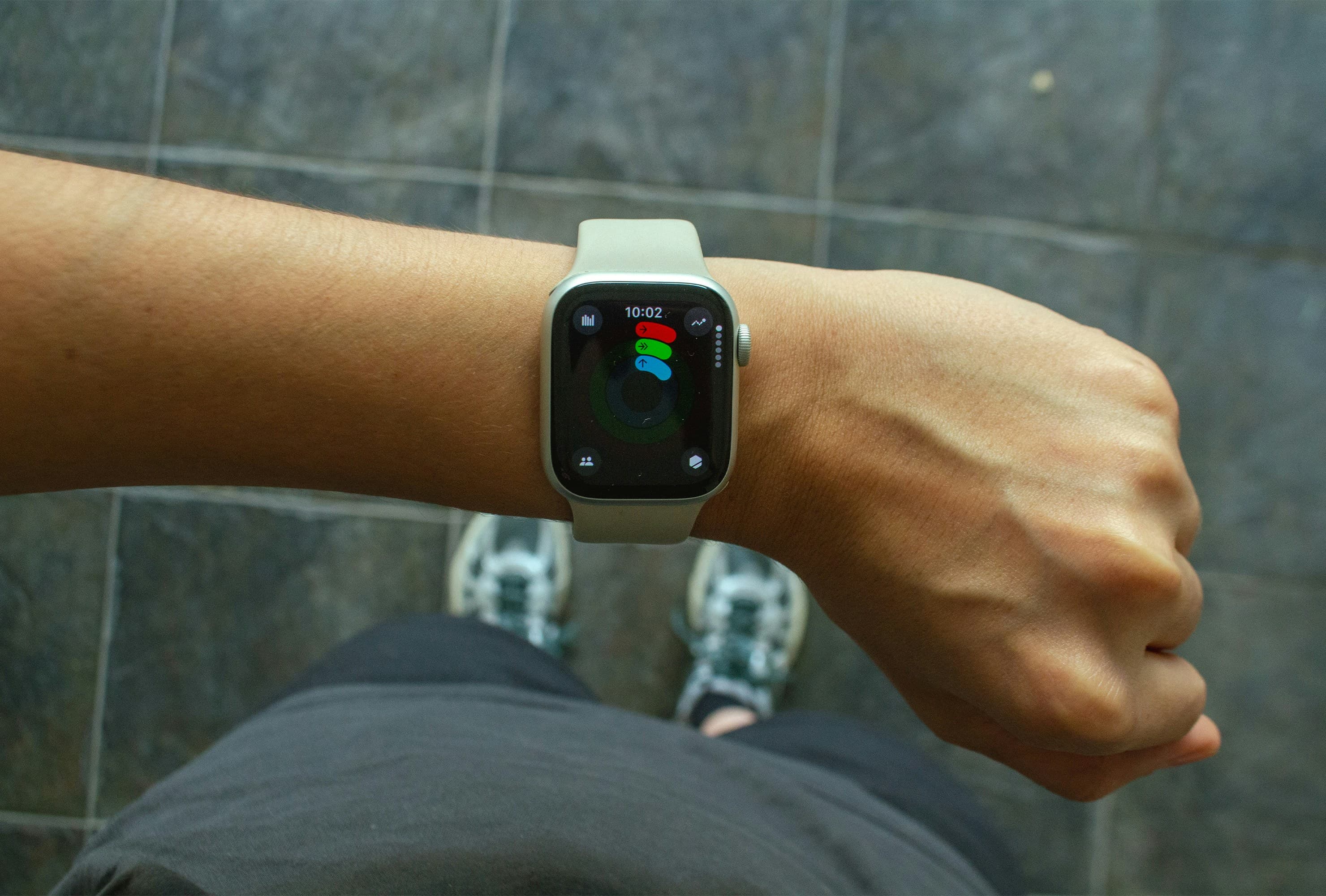
Apple Watch support is currently exclusive to Caliverse among the major free calisthenics apps (requires watchOS 11.2+). This enables rest timer notifications on your wrist, heart rate monitoring during sessions, and rep logging without touching your phone — genuinely useful when your hands are occupied doing push-ups.
iOS version requirements matter more than people realise. Caliverse requires iOS 17.6 or later, which means iPhone X, 8, and earlier are excluded entirely. If you are on an older device, check the App Store requirements before you spend time setting up an account you cannot use.
iCloud sync is unique to Calisthenics Mastery and provides seamless cross-device backup — particularly useful if you follow workouts on an iPad but track progress on your iPhone.
Background audio behaviour is an underrated daily-use consideration. Some apps pause your Spotify or Apple Music playback when a video starts; others do not interfere. If training to music is part of your routine, test this on day one.
Siri Shortcuts and home screen widgets reduce the friction between intention and action. Research consistently shows that reducing the number of taps required to start a workout measurably improves habit formation — the less you have to think about opening the app, the more likely you are to actually train.
6. Why Most People Quit Fitness Apps Within 2 Weeks (And How the Right App Prevents It)
Here is a number that should inform every app decision you make: 88% of health and fitness app users abandon the app within 14 days. Day-30 retention averages only 8–12% across the category; the top-performing apps achieve 25%. That means even the best fitness apps lose three out of four users within a month.
This is not a willpower problem — it is a design and matching problem. Apps with AI-driven personalisation show 50% higher retention rates, because they adapt to the individual rather than serving generic content. Apps with sessions longer than five minutes achieve 35% thirty-day retention versus 22% for shorter sessions — depth and structure keep people engaged.
What this means practically:
Visible progress drives retention. Calistree's skill-tree gamification makes progress tangible — you can see the path from where you are to where you want to be. This is psychologically powerful. Invisible progress (just "working out") is one of the leading causes of dropout.
Gentle progressions reduce intimidation-driven abandonment. Hybrid Calisthenics is specifically designed around this. When an app's first workout is manageable, you come back. When it floors you on day one, you find reasons not to open it again.
Habit loops matter more than feature lists. Calisteniapp's 21-day challenges create a commitment structure that carries users past the critical two-week drop-off point. The challenge format — a defined end date, daily accountability — is a proven habit-formation mechanism.
Financial commitment affects retention in both directions. Ironically, users who pay for an app often show higher retention than those on a free tier — but users hit with an aggressive paywall before they have experienced value abandon immediately. This is why the quality of the free tier matters: an app that earns your trust before asking for money retains far more users than one that demands payment upfront.
The practical takeaway: do not choose the app with the longest feature list. Choose the app you will actually open tomorrow. That is the one matched to your current stage, your specific goal, and your device. For most people, that is a simpler app than they expect.
7. Free vs. Paid: When Is It Worth Upgrading?
Here is the honest version — not the affiliate-driven version.
Stay free if you are in your first four to eight weeks. Fitloop, Hybrid Calisthenics, and Caliverse's base tier contain everything a beginner and early-intermediate trainer needs to build a solid foundation. There is no feature behind a paywall that will meaningfully change your results at this stage.
Consider upgrading when you hit these specific signals: you are repeating the same workouts because there is nothing new in the free tier; you cannot see a logical next step in your progression; you want adaptive programming that adjusts to your performance rather than following a fixed template.
Calisteniapp PRO is the most compelling upgrade when you are ready. It unlocks all structured programmes, EVO adaptive routines that adjust difficulty based on your performance, challenges, and advanced analytics. If you are training three or more times per week and finding the free tier's 10-video cap genuinely limiting, PRO is worth the cost.
Caliverse PRO at $9.49/month or $44.99/year unlocks advanced skill-specific training plans and follow-along videos. The annual plan works out to under $4 per month — reasonable if Caliverse is your primary training platform.
Calisthenics Mastery uses a one-time purchase model rather than a subscription — a fairer pricing structure if you dislike recurring charges.
For a completely free long-term option, Fitloop's 1,000+ exercises and progression trees, combined with the Reddit Recommended Routine, can take a complete beginner to a solid intermediate level without ever requiring payment. The trade-off is that you need to be self-directed enough to manage your own progression.
8. Red Flags to Avoid When Choosing a Free Calisthenics App
Not all calisthenics apps are worth your time, even at zero cost. Watch for these warning signs:
Random workouts with no progression logic. If the app serves you a different workout each day with no relationship to what you did yesterday, you will plateau within weeks. Progressive overload — systematically increasing difficulty over time — is non-negotiable for results. See our guide to progressive overload in calisthenics for the full framework.
No video demonstrations. Text descriptions of bodyweight exercises are insufficient for safe form. Poor technique in push-ups, rows, and particularly pulling movements causes real injuries. If an app cannot show you what correct movement looks like, find one that can.
Paywall within 30 seconds of opening. This is a demo, not an app. Move on.
Requires account creation before showing any content. This predicts poor UX throughout. An app confident in its product shows you the value before asking for your details.
No active developer updates. Check the App Store listing for the "Last Updated" date. An app that has not been updated in over a year likely has unresolved bugs, outdated exercise guidance, and no support if something breaks.
Connectivity-dependent apps for outdoor training. If you train in parks, on travel, or anywhere without reliable Wi-Fi, an app that streams all its videos is a liability. Confirm offline capability before committing.
Generic fitness apps with calisthenics in the name. Check whether the app actually features bodyweight-specific progressions — movement patterns organised around your own bodyweight — or whether push-ups are simply listed alongside barbell bench press in a generic exercise database. Real calisthenics apps build their structure around progressive bodyweight movement, not a one-size-fits-all exercise library.
The word "free" in the App Store covers a spectrum from genuinely free to barely disguised subscription funnels. The difference matters — especially when you are trying to build a training habit and do not want financial friction getting in the way.
For most people reading this: start with Hybrid Calisthenics if you are brand new to training, or Fitloop if you want maximum free content and are comfortable directing your own progression. Give it two weeks of consistent use before downloading anything else. App-hopping is one of the most reliable ways to never build a real fitness habit — the best calisthenics programme is the one you actually follow, and that consistency matters far more than which app you use to track it.
When you are ready to build on the fundamentals, our beginner calisthenics programme gives you an eight-week structure you can follow alongside any of the apps above — no subscription required.
FAQ
Hybrid Calisthenics and Fitloop come closest to being genuinely free, with no paywalls on core workout features. Caliverse's free tier includes 200+ workouts and all base training plans. Most others — including Calisteniapp and Calistree — have generous free tiers but lock advanced programs, challenges, or unlimited video playback behind a subscription.
It varies by app. Hybrid Calisthenics and Calisthenics Mastery are largely offline-capable once downloaded. Apps like Caliverse require a stable internet connection for video streaming. If you train in areas with poor signal (outdoors, parks, travel), check offline functionality before committing.
Hybrid Calisthenics is the top pick for true beginners. It starts every exercise from the absolute easiest variation (e.g. wall push-ups, assisted squats) and uses a non-intimidating coaching tone. The core progression system is entirely free with no credit card required.
Yes — if the app provides structured progressive overload and you're consistent. The key is choosing an app that increases difficulty over time, not just giving you random workouts. Apps with adaptive programming (like Calisteniapp's EVO routines) or skill-tree progression (like Calistree) make this possible even on a free plan.
The core training content is usually identical, but iOS versions may offer exclusive integrations: Apple Health sync, Apple Watch compatibility, Siri Shortcuts, and HealthKit data export. Some apps also launch iOS updates earlier. Always verify iOS version requirements — Caliverse, for example, requires iOS 17.6 or later.
Calisteniapp's free tier includes 500+ individual routines, unlimited workout sessions, and access to a 700+ exercise dictionary — but caps custom session creation at 3 and limits exercise video playback to 10 per day. PRO unlocks all programs, EVO adaptive routines, challenges, and advanced analytics.